
Key takeaways
- Separate answerable uncertainty from genuine product mismatch.
- Match evidence to the exact objection instead of relying on enthusiasm.
- Keep the limitation close to the supported claim.
An objection-handling UGC script turns one buying question into a short, verifiable explanation. Write the answer, identify the scene that supports it, and keep the relevant limitation beside the claim. The script should help someone judge suitability, including when the product is not right for them.
This guide focuses on the words and scenes inside an individual video. It assumes you already have a legitimate question to answer. The job now is to turn that question into a clear spoken sequence without inventing customer experience or filling the opening with generic reassurance.
Write an answer sentence before a hook
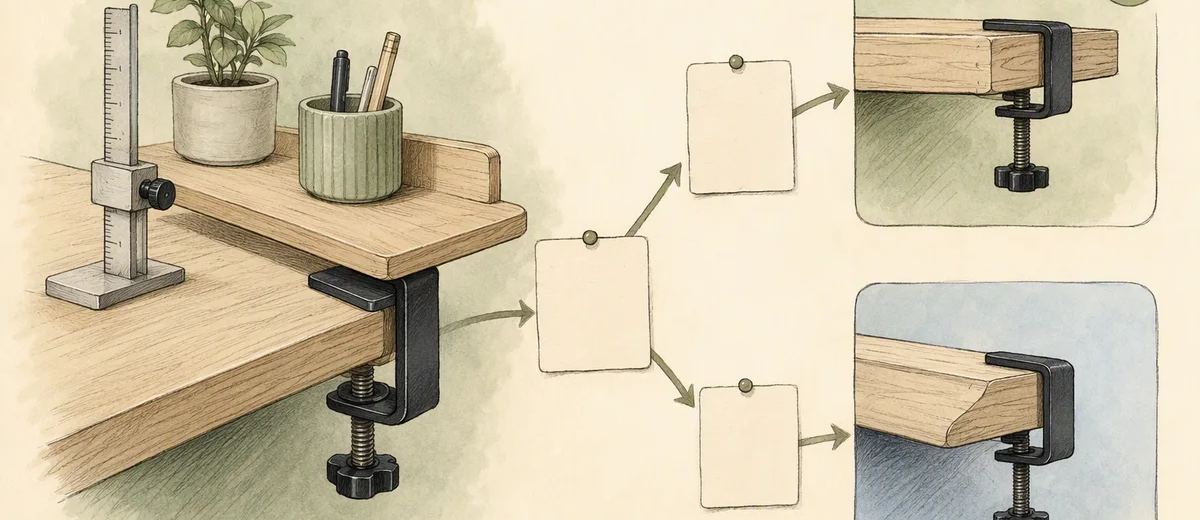
Put the buyer's question at the top of the page. Under it, write the shortest accurate answer and the condition that changes the answer. For a clamp-on shelf, that might be whether a particular desk thickness and edge shape are compatible.
Do not begin with “you need to see this.” Begin with what the person needs to know. Once the answer is clear, the opening can introduce it naturally. This order prevents an exciting hook from promising more than the demonstration can support.
Next, name the evidence shot beside the answer. A dimension needs a readable measurement. A setup question needs the actual sequence. A price concern may need a clear explanation of what is included, without inventing a savings claim.
Use your brand voice guide to choose ordinary words and consistent feature names. Tone should make the answer easier to follow, not disguise an uncertain claim with confidence.
Script pattern one: question, measurement, fit check
Use this structure when the objection concerns dimensions or compatibility. The spoken sequence names the question, shows how to check, and sends the viewer to the verified information needed for their own situation.
The following is illustrative copy for a hypothetical desk shelf, not a claim about a real product:
Will this clamp fit your desk? Measure the edge where you want to attach it. Here is the measurement point. Compare your result with the compatibility information before ordering.
Pair the first line with a clear view of the actual clamp. Pair the measurement instruction with real footage of the relevant point. Hold the final frame long enough for the viewer to understand what to compare.
Avoid an unsupported shortcut such as “fits any desk.” If the product excludes a particular edge shape or surface, add that condition beside the relevant instruction. Do not rely on a tiny final disclaimer to reverse the opening promise.
Script pattern two: prerequisite, action, remaining work
Use this structure for setup or effort objections. It shows what must already be available, what the user does, and what responsibility remains afterward. This is especially useful when a polished demonstration could make preparation disappear.
Illustrative copy for a hypothetical desktop device might read:
You need a compatible computer and the included cable. Connect the device here, then choose it in the available settings. Check the setup guide for your operating system before starting a recording.
The corresponding footage should show the real connection and current settings. If the process requires software installation, permission, or another step, include it accurately or revise the wording. The script is a framework, not permission to omit inconvenient work.
Read the lines against the screen sequence. If the narration says the task is complete while the interface still requires confirmation, fix the mismatch. The viewer should understand what the product does and what they must still do.
Script pattern three: concern, tradeoff, decision
Use this structure when the objection involves a genuine tradeoff rather than a simple factual check. A more compact item may hold less. A simpler plan may omit an advanced feature. The script should explain the tradeoff without treating every viewer as the same buyer.
Illustrative copy for a hypothetical organizer might read:
Choosing between a compact tray and a larger layout? This version keeps the footprint smaller. Here are the items shown in the demonstration. Check the dimensions and included sections against what you need to store.
The evidence shot uses the actual configuration and items at honest scale. It does not remove objects between shots or suggest that the tray holds an unlimited collection. The final line gives the viewer a decision aid instead of a pressure tactic.
A tradeoff script can be persuasive while acknowledging a boundary. It explains why a design choice may matter to the right buyer, rather than claiming that one version is best for everyone.
Rewrite reassurance into observable language
Review each line that asks the viewer to trust a feeling instead of inspect evidence. “It is incredibly easy” can become a description of the actual steps. “Everything fits” can become a view of the specific items and relevant dimensions.
“I was skeptical too” is not a useful default for a synthetic presenter. It invents a personal state and often leads into a fabricated purchase story. A brand narrator can instead say, “Here is how to check the feature before deciding.”
The FTC's testimonial guidance addresses false representations about a person's existence and experience. A conversational script should not manufacture the evidence that a genuine customer account would require.
Also inspect universal words such as always, everyone, never, and guaranteed. Keep them only when the actual claim and evidence justify them. The FTC's endorsement guidance is a useful reference for truthful advertising statements and their overall impression.
Put one writing task beside each shot
Create a simple script sheet with a spoken line, visual action, and factual check for each beat. Do not let the visual become an afterthought. A measurement line without a readable measurement shot remains incomplete.
Use the visual to carry what it can demonstrate, and use narration for interpretation or conditions. Avoid repeating the same information in speech, headline, and caption when those layers compete for attention. Preserve accurate timed captions for the actual audio.
Mark any line that depends on genuine experience. Keep the person's approved wording and context with that line. If a synthetic narrator introduces the statement, make clear whose experience is being described rather than transferring it to the narrator.
The approval workflow should give a product owner a concrete question: does this line and this shot support the answer? That is easier to review than an entire video described only as an objection campaign.
Test the spoken sequence before generating the presenter
Read the draft aloud while showing rough evidence frames. Notice where a listener needs to inspect the product or think about a condition. Leave room for that work instead of increasing speaking speed to fit extra claims.
Ask a reviewer to repeat the answer in their own words. They should be able to name the compatibility check, prerequisite, or tradeoff. If they remember only the enthusiasm, the script may not have delivered enough usable information.
Check the ending against the next action in your campaign plan. A fit-check script should lead to fit information. A setup explanation should lead to the appropriate instructions or product route, not an unrelated urgency message.
Use the caption generator for surrounding post copy, then preserve the same boundary. A careful video can be undermined by a caption that changes “check whether it fits” into “works for everyone.”
Finish with a line-level release check
For every sentence, confirm who is speaking, what is claimed, what supports it, and which condition must remain attached. For every scene, confirm that it shows the sold product and does not imply a stronger result than the words describe.
Remove a line if it adds pressure without information. Add a line only when it resolves a real ambiguity. The final script should answer one question completely enough for the viewer to make the next decision, with a clear route to any detail the short format cannot responsibly contain.
Sources
Frequently asked questions
Where should I find objections for scripts?
Use documented support questions, sales notes, product feedback, and research you are authorized to use. Remove personal information and do not invent customer quotes.
Can an AI presenter say it was skeptical?
Only when the framing does not falsely imply a real personal experience. A safer brand-narrator approach is to state the buyer’s question and show the evidence directly.
Should the video answer several objections?
Usually choose one decision for a short video. Combine questions only when they depend on the same evidence and can be explained clearly without hiding important conditions.
What if the product does not fit the viewer?
Explain the boundary honestly and provide a way to check suitability. Helping someone avoid a mismatch is better than pressuring them past a real limitation.
About Garry
Gaurav Sapkota builds Caroush, a workspace for creating, scheduling, and publishing social content.





