
Key takeaways
- Write the factual purpose beside every planned shot.
- Preserve cause and effect during important product actions.
- Use generated scenes as illustration, not proof of performance.
A product demo video shot list should make the product easier to judge. Plan the shots that establish identity, scale, operation, and relevant limitations before adding a presenter or decorative scene. The viewer should be able to tell what is being shown, what action occurred, and whether the demonstration matches the item they can buy.
Creator-style framing can make the presentation approachable, but it should not hide important evidence. A close crop may conceal an extra accessory. A fast cut may omit a difficult setup step. A generated action may look plausible while demonstrating something the real product cannot do.
Write the claim beside the shot
Start with the buyer question. For a folding stand, it might be whether the stand fits a particular device and how it folds for storage. For a kitchen container, it might be how the lid closes and what is included. Different questions require different evidence.
For each planned shot, write the fact it must communicate. “Show product” is vague. “Show the sold stand supporting the stated device size from the side” gives the camera operator and reviewer a specific task.
Also record the source of the fact. Use current specifications, physical measurements, and actual product behavior. If the claim remains uncertain, do not ask the shot to make it look certain. Resolve the product question or narrow the claim.
The FTC's endorsement guidance is relevant when demonstrations appear within recommendations. The overall message needs support, including what the visual implies beyond the spoken words.
The evidence shots most products need
Begin with an establishing view that identifies the correct product and configuration. Show enough of the item for viewers to recognize it later. Keep the real proportions and visible features intact, particularly when supporting assets are generated or heavily edited.
Add a scale shot when size affects the decision. Use a clear measurement or a familiar object shown honestly, without perspective tricks. A hand alone may not provide a reliable size reference because hands vary and wide-angle lenses distort proportions.
Record the main action in a way that preserves cause and effect. If a latch locks, show the movement and the final locked state. If a stand folds, show its path and the resulting shape. Avoid cutting away at the exact moment that proves the feature.
Include a close view of the detail that differentiates the product, followed by a wider view that restores context. A macro shot of texture can be attractive, but it does not tell someone where that texture appears or how much of the item uses it.
Do not forget setup and limitations
A demonstration can mislead by omitting prerequisites. If a clamp requires a compatible surface, a device needs charging, or an accessory is sold separately, decide how the viewer will learn that before taking the next step.
You do not need to show every minute of setup in a short ad. You do need to avoid implying that the product arrives in a state it does not. Time compression should remain understandable, especially when assembly or waiting is part of the experience.
Show relevant constraints rather than burying them in tiny text. A stand that supports certain device sizes should lead viewers to compatibility information. A container presented as spill resistant should not be shown as absolutely leakproof without appropriate evidence.
Use your content approval workflow to assign ownership of these details. The editor may notice a visual issue, but a product owner should confirm whether a configuration or claim is accurate.
An illustrative shot list for a folding phone stand
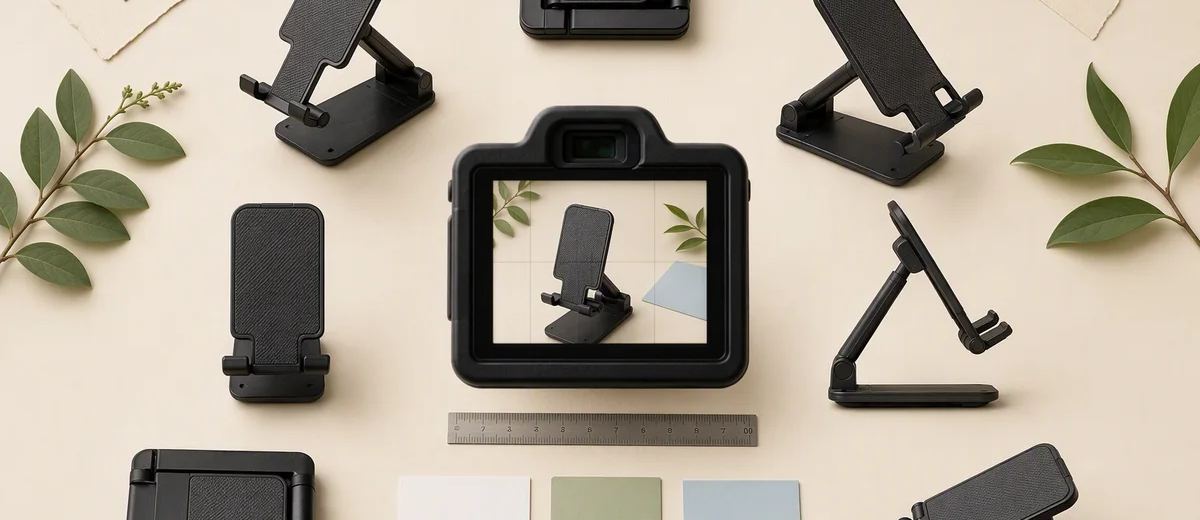
Imagine a small brand preparing a video for a folding stand. This example describes a planning method, not a tested product. The viewer wants to understand desk use and portability, so the sequence follows those questions.
- Show the actual stand folded beside a ruler, with the relevant dimension readable.
- Open it in one continuous view so the hinge movement is clear.
- Place a compatible phone on the stand, showing the support points.
- Adjust the angle within the real range, using a side view.
- Show the charging cable route if the design actually accommodates one.
- Fold the stand and place it in the intended storage context.
- End with the destination where viewers can check device compatibility.
The list excludes an unsupported drop test, a generated scene carrying an unusually heavy device, and a claim that it fits every phone. Each excluded idea might look dramatic, but it would require evidence beyond this simple demonstration.
The team also records which accessories appear. If the phone and cable are not included, the packaging shot and destination copy should not suggest otherwise. Small details like these can matter more than a highly polished opening.
Decide where AI belongs in the sequence
AI-generated material can help communicate a setting, plan a storyboard, or provide an explicitly illustrative transition. It should not replace the factual action that establishes product performance. A synthetic hinge movement is not a test of the real hinge.
Keep factual footage and illustrative assets labeled in the production folder. Record the original source and approved use. When another editor assembles a shorter version, they should be able to identify which clips carry evidence and which only provide atmosphere.
If realistic generated scenes are included, review the disclosure rules for the destination. YouTube's synthetic-content guidance describes disclosure for meaningful realistic alterations and generated scenes. Other platforms have their own controls and definitions.
An AI label does not fix a false product demonstration. The product shown and the claim conveyed still need to match reality. Keep that distinction explicit in the brief and review notes.
Plan the edit for small screens and sound-off viewing
A shot can be technically sharp and still be difficult to understand on a phone. Inspect the important detail at the intended display size. Give a viewer time to notice the action before cutting to another angle or adding explanatory text.
Reserve space for captions without covering the product evidence. Use readable contrast and avoid placing essential detail where interface controls may obscure it. Placement previews can help identify those conflicts, but inspect the final destination where possible.
W3C's media accessibility guidance is a useful reference for the relationship between visual information, spoken explanation, captions, and descriptions. If a silent movement is essential to the message, decide how someone who cannot see it will receive the information.
You can adapt the demonstration into an educational visual sequence using the principles in carousel design. The format changes, but the need for a clear action and readable evidence remains.
Capture options that make revision easier
Film a clean version of important product actions without captions or temporary offer text. Leave useful handles before and after each movement so an editor can adjust pacing. Keep the camera stable enough that the action remains visible after cropping.
Capture a neutral end frame and a separate offer module. This makes it easier to update a destination or promotion without rebuilding the evidence sequence. Store the product version and filming date with the source files.
Draft supporting copy with the caption generator, then check it against the shot list. The caption should not promise a feature the video never demonstrates. If a viewer needs more detail, direct them to an accurate product resource.
Finally, review the complete cut once for product truth, once for comprehension, and once for destination continuity. Caroush's free tools can support the surrounding publishing assets, while the shot list remains your record of what the video actually proves.
Sources
Frequently asked questions
How many shots should a product demo have?
Use the number needed to answer the buyer’s question clearly. An establishing view, key action, important detail, relevant limitation, and next step are useful roles, not a fixed shot count.
Can I use AI to generate the entire demonstration?
A generated scene can illustrate a concept, but it does not verify real product behavior. Use accurate source footage or other appropriate evidence for claims about operation, size, and performance.
Should I show the packaging?
Show it when package contents, presentation, or setup affects the decision. Make clear which visible accessories are included and avoid suggesting that display props come with the product.
What should I record for future edits?
Keep clean action footage, extra time around movements, product-version notes, source references, and a separate ending. These make changes easier without altering the factual demonstration.
About Garry
Gaurav Sapkota builds Caroush, a workspace for creating, scheduling, and publishing social content.





