

Key takeaways
- A general best-time chart is a starting hypothesis, not a guarantee for your account.
- Choose posting windows using audience activity, location, format, and the purpose of the post.
- Compare several similar posts using the same observation window, and keep the sample’s limitations in view.
The best time to post on Instagram is a time when your intended audience is likely to notice and use the content—and when the post is still relevant. There is no single hour that reliably produces the best result for every account. Start with your own audience information, choose a few sensible windows, and compare results over repeated posts.
If you need a quick starting decision, pick two windows that fit your audience’s daily routine and that you can maintain. Do not treat those guesses as a proven schedule. The four-week example below shows how to test them without turning a small account’s results into false certainty.
Why best-time-to-post charts cannot decide everything
Published studies combine posts from many accounts, industries, locations, and formats. Their findings can suggest useful experiments, but the audience behind an average may not resemble yours. A local restaurant, a global software company, and a creator whose followers are mostly students can have different patterns.
Read how a study defines performance before copying its recommended hours. A time associated with more reach in one dataset is not necessarily the best time for bookings, saves, conversations, or another goal. Correlation between a posting window and performance also does not establish that the hour caused the result.
For a current industry reference, consult Buffer’s Instagram posting-time analysis. Use its recommendations as hypotheses alongside your own data, not as guaranteed rules. This guide does not present a new independent study or claim verified best times for your account.
Start with the audience and the goal
Ask who the post is for and what you want them to do. A practical checklist may work when readers have time to save or use it. An event reminder needs to arrive before people make their plans. A live update is constrained by when the event actually happens. Content relevance comes before optimizing a clock.
Use the audience and activity information available in Instagram’s current insights interface, if your account is eligible. Look for the locations and active periods it actually shows. The amount of information available can depend on the account and its audience; do not invent a precise pattern when the data is missing.
- Identify your main audience locations, rather than assuming followers live where you do.
- Choose a goal such as useful saves, relevant inquiries, or visits to a destination you can measure.
- Separate formats where practical: a carousel and a short video may behave differently.
- Note whether the post is evergreen, seasonal, or tied to a specific event.
Handle time zones before comparing results
Write the audience time zone beside every proposed window. If your business operates in Nepal, Asia/Kathmandu is UTC+05:45; do not round it to an hour or assume that a scheduler uses your browser’s time zone. If the audience is somewhere else, use that audience’s zone instead.
For locations that observe daylight saving, a fixed UTC offset will not describe the entire year. Use a named zone where supported, and check important dates in the scheduling interface. An accidental time-zone shift can make an otherwise careful test difficult to interpret.
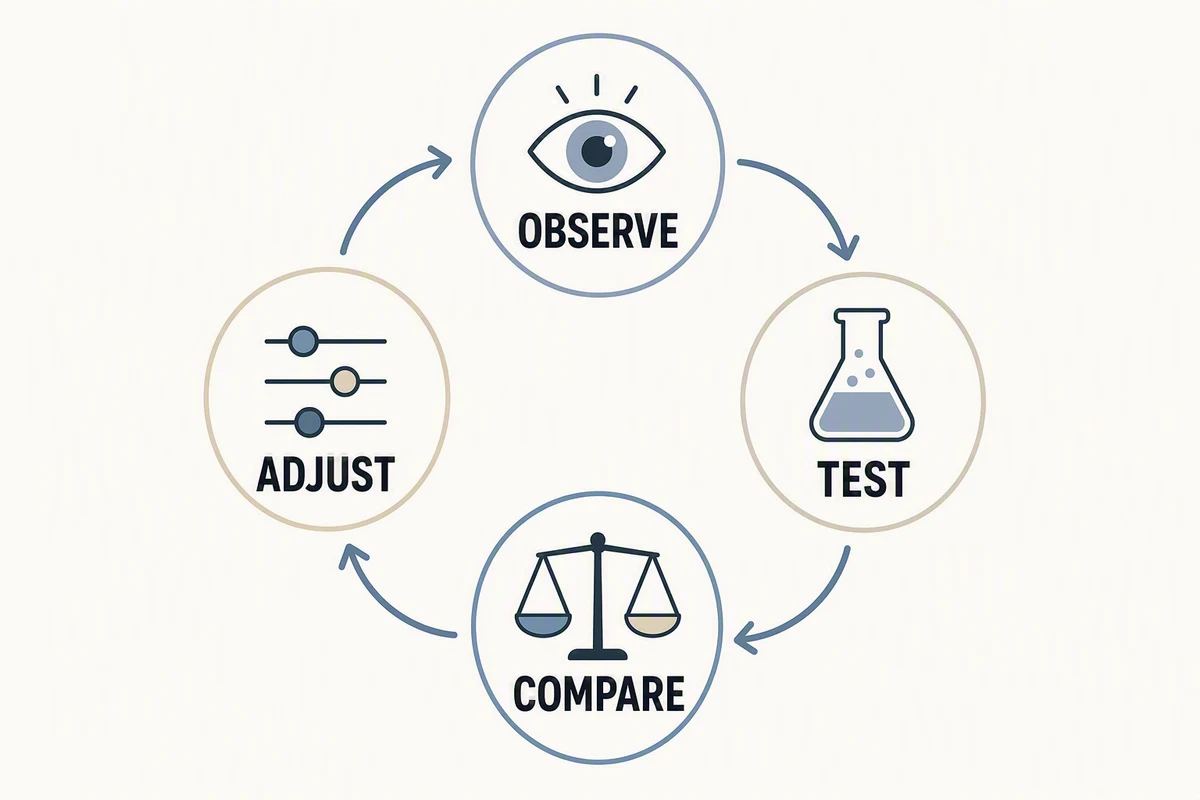
A four-week test for your Instagram posting schedule
Here is an illustrative test, not a recommendation that everyone should post on these days or at these hours. Suppose a small account already publishes twice weekly and wants to compare a lunchtime window with an early-evening window in its audience’s time zone. Call them A and B.
Week 1: record a baseline
Publish a comparable educational post in window A on Tuesday and another in window B on Thursday. Record the topic, format, date, exact local time, and any unusual context. Use your normal production standard; do not give the preferred window your strongest content and the other window an afterthought.
Week 2: swap the windows
Use window B on Tuesday and A on Thursday. This reduces one obvious source of bias: always pairing a window with the same weekday. Keep the goal and format reasonably similar, while still creating distinct, useful posts.
Weeks 3 and 4: repeat and observe
Repeat the alternating pattern with new comparable content. Note holidays, paid promotion, collaborations, launches, or unusual external attention. Those factors may explain a result better than the posting hour. If your normal frequency is lower, extend the test rather than publishing weak content just to complete the schedule.
Eight posts still make a small, noisy sample. This exercise can help you make a more informed operational choice; it does not isolate the causal effect of timing or prove a universal winner. Keep learning as you publish.
Measure the same thing after the same amount of time
Pick a consistent observation window, such as checking each post after 48 hours, and use that window for the whole comparison. That interval is an example, not a rule for how quickly every format reaches its audience. If longer-term performance matters, also review each post after the same longer interval.
Record a small set of metrics that match the goal and are actually available. Reach can help you understand exposure; saves or shares can be relevant to a useful guide; relevant inquiries may matter for a service business. Avoid combining unrelated metrics into a score without explaining what it means.
An illustrative calculation: six saves from 200 reached accounts is a saves-to-reach ratio of 3%, while ten saves from 1,000 reached accounts is 1%. The first has the higher ratio; the second has more total saves. Neither is automatically “better.” These are made-up numbers explaining the arithmetic, not results from Caroush or a customer.
What to do when your account is new
A new account may not have enough history to reveal a stable pattern. Begin with audience-informed guesses and a cadence you can sustain. Keep the topics useful and the presentation clear. Early work often teaches you more about the message and audience than about the perfect hour.
If a post performs poorly, inspect its premise, opening, readability, and relevance before blaming the time. A weak explanation does not become useful because it appears during a busy window. Similarly, one unusually strong post should not lock your schedule permanently.
When should you change your posting times?
Revisit the schedule when your audience location changes, you adopt a different format, the business enters a new season, or enough new results accumulate to question the old pattern. There is little value in changing every hour after every post; that makes it harder to learn from a stable routine.
You can use a scheduler to maintain the chosen windows, but verify its time-zone behavior and review live results. Caroush provides social content creation and scheduling; the timing decision should still come from your audience and measured experience. Check the current plans for the workflow you need.
The useful question is not “What hour does the algorithm like?” It is “When can this audience act on this message, and what do our repeated results suggest?” That produces a schedule you can explain and improve.
Sources
Frequently asked questions
Is there one best time to post on Instagram?
No single hour reliably suits every audience, goal, location, and format. Use industry studies as starting hypotheses and compare your own results across repeated, reasonably similar posts.
What time zone should I use when posting from Nepal?
Use the time zone of the audience you want to reach. Asia/Kathmandu is UTC+05:45, but an account operated from Nepal may serve people elsewhere. Confirm the zone used by your scheduler.
Is Sunday the best day to post on Instagram?
Not for every account. Whether Sunday is useful depends on your audience’s routine and the content’s purpose. Test relevant weekdays and weekends without assuming a general chart predicts your result.
Should Reels and carousels use the same posting time?
They can, but do not assume that they must. Compare each format against similar content and use the available metrics and a consistent observation window.
About Garry
Gaurav Sapkota builds Caroush, a workspace for creating, scheduling, and publishing social content.





